PAN Card Status Check – How to Track PAN Application, Correction & Delivery Status Online
PAN Card Status Check is an important online service for individuals who have recently applied for a new Permanent Account Number, requested PAN corrections, or ordered a physical PAN card. Instead of visiting a service centre repeatedly, applicants can check their application progress using authorized tracking facilities.
A Permanent Account Number, commonly called PAN, is a unique ten-character alphanumeric identification number issued by the Income Tax Department of India. It is used for tax administration, financial identification, banking, investments, and transactions where PAN disclosure is required.
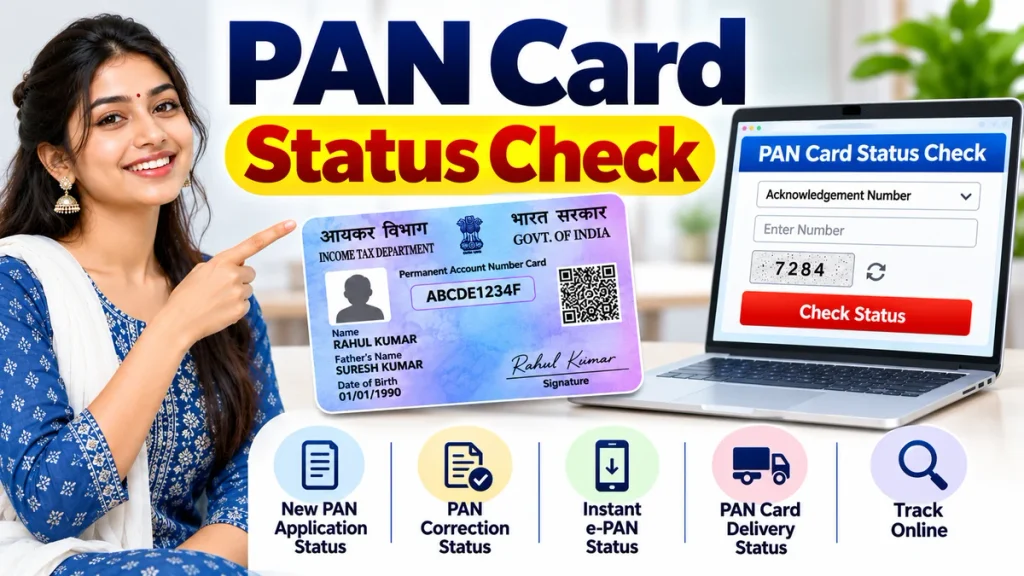
Many applicants search for PAN Card Status Check Online, PAN Application Status, PAN Card Correction Status, and PAN Card Delivery Tracking. Understanding the correct tracking method can help identify processing delays, document verification issues, and PAN allotment updates.
This guide explains how to track your PAN application through Protean, UTIITSL, and the Income Tax Department’s Instant e-PAN facility.
What Is PAN Card Status Check?
PAN Card Status Check allows applicants to verify the current processing stage of their PAN-related requests.
After submitting a new application or correction request, the authorized service provider processes the application and verifies the submitted information.
Applicants receive an acknowledgement or reference number that can be used to track progress.
Depending on the application, tracking information may indicate that verification is underway, additional documents are required, PAN has been allotted, or a physical card has been dispatched.
Checking the status does not automatically approve an application or change the information previously submitted.
PAN Card Status Check – Important Information
| Particulars | Details |
|---|---|
| Service Name | PAN Card Status Check |
| Issuing Authority | Income Tax Department |
| Tracking Mode | Online |
| Authorized Providers | Protean and UTIITSL |
| Protean Tracking | 15-digit acknowledgement number |
| UTIITSL Tracking | Application coupon number |
| Instant e-PAN Tracking | Aadhaar-based verification |
| Status Check Fee | Generally free |
| Correction Tracking | Available online |
| Delivery Tracking | Available where dispatch details exist |
The correct tracking method depends on the facility used for the original application.
PAN Card Status Check Through Protean
Protean provides an online PAN application tracking facility for applicants whose requests were submitted through its system.
The applicant generally needs the fifteen-digit acknowledgement number received after submitting the application.
Step-by-Step Process
Step 1: Open Protean PAN Services
Access the authorized Protean PAN application tracking facility.
Step 2: Choose Application Type
Select the PAN New / Change Request category or the relevant application option.
Step 3: Enter Acknowledgement Number
Provide the fifteen-digit acknowledgement number exactly as recorded on the application receipt.
Step 4: Complete Verification
Enter any security code or complete the verification requested by the tracking page.
Step 5: Submit the Request
Select the option to verify the application status.
Step 6: Review Your Status
The system displays the latest available information about the application.
Step 7: Follow Additional Instructions
If further documentation or clarification is required, complete the requested action through the authorized process.
The acknowledgement number should be preserved until the application is fully processed.
PAN Card Status Check Through UTIITSL
UTI Infrastructure Technology and Services Limited, commonly known as UTIITSL, also provides PAN application services.
Applicants who submitted their PAN requests through UTIITSL can check the status using their application coupon number.
Step-by-Step UTIITSL Tracking Process
- Open the authorized UTIITSL PAN tracking facility.
- Select the appropriate application type.
- Enter the coupon number generated during application submission.
- Review the entered information carefully.
- Select the Submit option.
- Check the displayed application status.
- Follow further instructions if additional action is required.
Applicants should avoid entering a Protean acknowledgement number into a UTIITSL tracking facility.
Each provider uses its own application reference system.
Instant e-PAN Card Status Check Using Aadhaar
The Income Tax Department provides an Instant e-PAN service for eligible individuals who apply through its electronic facility.
Unlike standard PAN tracking services, Instant e-PAN status verification uses Aadhaar-based authentication.
How to Check Instant e-PAN Status
- Open the Income Tax e-Filing portal.
- Locate the Instant e-PAN service.
- Select Check Status / Download e-PAN.
- Enter your twelve-digit Aadhaar number.
- Continue to the OTP verification page.
- Enter the OTP received on your Aadhaar-linked mobile number.
- Complete authentication.
- Review the current e-PAN request status.
- Download the electronic PAN if it has been generated and allotted.
The official OTP is valid for a limited period, and the portal restricts unsuccessful authentication attempts.
This particular facility is intended for applicable Instant e-PAN requests, not every PAN application submitted through other providers.
PAN Card Correction Status Check
Individuals who have requested corrections to their name, date of birth, photograph, signature, or other PAN information can track their applications.
The correction tracking process generally uses the same authorized provider that received the correction request.
Correction Status Tracking Steps
- Identify the provider handling your correction application.
- Open its official PAN tracking service.
- Select the applicable PAN change or correction category.
- Enter the acknowledgement or coupon number.
- Complete any required verification.
- Submit the tracking request.
- Review the current correction status.
Approved PAN corrections normally update the records associated with the existing PAN number.
They do not require a second PAN allotment.
PAN Card Delivery Status Check
Applicants requesting a physical PAN card may also want to know whether the document has been dispatched.
Physical card delivery information becomes available when the relevant provider processes and dispatches the card.
How to Track PAN Card Delivery
- Open the authorized PAN application tracking facility.
- Enter the required application reference.
- Check whether the physical card has been dispatched.
- Record the available consignment or tracking number.
- Use the identified delivery carrier’s official tracking facility.
- Review the latest delivery information.
Not every PAN application includes physical card delivery.
Applicants receiving only an electronic PAN should not expect automatic postal dispatch.
Understanding Different PAN Application Status Messages
The wording displayed by different providers may vary.
| Status Message | Possible Meaning |
|---|---|
| Application Received | Request successfully submitted |
| Under Processing | Application is being reviewed |
| Verification Pending | Information requires verification |
| Additional Documents Required | Further action may be necessary |
| PAN Allotted | PAN number has been assigned |
| Card Dispatched | Physical document sent for delivery |
| Application Rejected | Request could not be processed |
These descriptions are general explanations rather than a guaranteed list of exact portal messages.
Applicants should follow the specific instructions displayed with their status.
PAN Card Status Check Without Acknowledgement Number
Losing an acknowledgement number can make application tracking difficult.
Applicants should first check the email address and mobile messages used during registration.
The acknowledgement receipt or application confirmation may contain the necessary number.
If the reference remains unavailable, contact the original authorized PAN service provider.
Identity verification may be necessary before the provider can assist.
Avoid entering personal information into unknown websites claiming to recover PAN details instantly.
How Long Does PAN Card Processing Take?
PAN processing time depends on the application type, document verification, authentication method, and service provider.
Electronic applications may involve different processing stages from applications requiring physical documents.
Corrections involving inconsistent information may take additional time.
Physical card delivery also depends on printing and postal arrangements.
Applicants should not assume that every PAN request will be approved or delivered within a fixed period.
Common PAN Card Status Check Problems
Application Status Not Found
Verify the reference number and confirm that you selected the correct service provider.
Incorrect Acknowledgement Number
Check for missing or incorrectly entered digits.
Application Under Processing
Allow the provider to complete the necessary verification.
Documents Rejected
Review the official communication and provide acceptable supporting evidence.
OTP Not Received
Check mobile connectivity and the number registered with Aadhaar.
Physical Card Not Delivered
Review dispatch information and contact the authorized provider or delivery carrier if necessary.
Safety Tips for PAN Application Tracking
PAN information should be protected during online status checks.
Use recognized government or authorized provider facilities.
Never share OTPs, passwords, or sensitive identification details with unknown individuals.
Avoid unofficial services promising guaranteed approval or unusually fast processing.
Keep the application acknowledgement securely stored for future reference.
Frequently Asked Questions (FAQ)
1. How can I check my PAN Card Status online?
Use the authorized provider’s tracking facility with your acknowledgement or coupon number.
2. Can I check PAN status using Aadhaar?
Yes, eligible Instant e-PAN applicants can check their request status through Aadhaar OTP authentication.
3. Is PAN Card Status Check free?
Standard application status checking through official facilities is generally free.
4. Can I track PAN correction status?
Yes. Correction applications can be tracked through the provider handling the request.
5. What does PAN allotted mean?
It means the Income Tax Department has assigned a PAN number to the application.
6. How do I track physical PAN delivery?
Check your application’s dispatch information and use the available consignment details.
7. Why is my PAN application still pending?
Pending applications may require verification, additional processing, or supporting documents.
8. What should I do if my application is rejected?
Review the rejection reason and follow the authorized provider’s instructions for submitting a valid application.
Conclusion
PAN Card Status Check provides a convenient way to monitor new PAN applications, correction requests, Instant e-PAN generation, and physical card delivery.
Applicants should select the appropriate tracking facility, enter accurate reference information, and review the latest processing updates.
Keeping acknowledgement details secure and responding promptly to official verification requests can help prevent unnecessary delays.
Always use authorized PAN services and protect personal information throughout the tracking process.