PAN Card Online Services – Apply Online, Download, Correction, Aadhaar Link, Status Check & Complete Guide
PAN Card Online Services have made it easier for Indian citizens to manage important tax and identity-related requirements without repeatedly visiting government offices. Whether you want to apply for a new PAN card, download an electronic copy, correct personal information, or check your application status, several services are accessible online.
A Permanent Account Number, commonly known as PAN, is a unique ten-character alphanumeric identification number issued by the Income Tax Department of India. It plays an important role in income tax filing, banking, investments, and financial transactions where PAN disclosure is required.
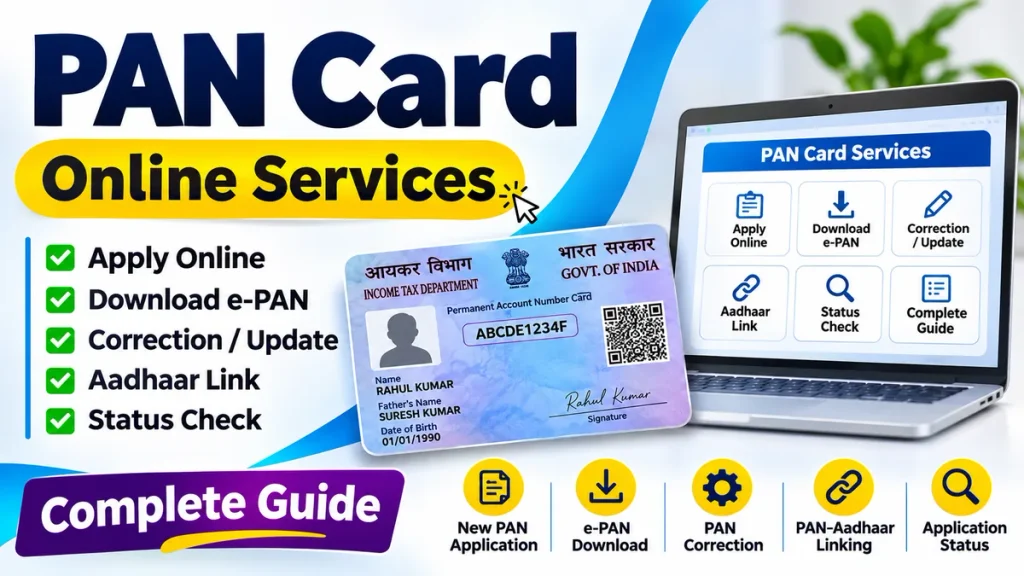
Understanding the correct process can save time and help prevent application errors. This guide explains PAN Card Apply Online, PAN Card Download, PAN Card Correction, Aadhaar Linking, and PAN Card Status Check through simple steps.
What Is a PAN Card and Why Is It Important?
PAN helps the Income Tax Department identify taxpayers and connect relevant financial information with their records. Individuals, businesses, and other eligible entities may need PAN for taxation and specified financial activities.
Common situations where PAN may be required include:
- Filing income tax returns
- Opening certain financial accounts
- Applying for loans and credit cards
- Making specified high-value transactions
- Investing in securities and mutual funds
- Completing applicable financial KYC requirements
PAN generally remains valid throughout the holder’s lifetime. Changing your address or other personal information does not normally require obtaining another PAN number.
PAN Card Online Services Overview
| PAN Card Service | Main Purpose |
|---|---|
| PAN Card Apply Online | Request a new PAN |
| PAN Card Download | Obtain an available electronic PAN |
| PAN Card Correction | Update incorrect information |
| PAN Aadhaar Linking | Connect PAN with Aadhaar |
| PAN Card Status Check | Track application progress |
| PAN Card Reprint | Request another physical card |
| PAN Verification | Verify PAN information |
Service availability, documents, authentication methods, and charges depend on the selected process.
PAN Card Apply Online – Step-by-Step Process
Applicants who do not already possess PAN can apply through authorized PAN service providers. Eligible individuals may alternatively use the Instant e-PAN facility.
Step 1: Open an authorized PAN application service.
Step 2: Select the new PAN application option.
Step 3: Choose the appropriate applicant category and current application form.
Step 4: Enter personal information, including name, birth date, and contact details.
Step 5: Provide identity, address, and date-of-birth documents wherever required.
Step 6: Complete the applicable verification and document submission procedure.
Step 7: Pay the displayed processing fee, if applicable.
Step 8: Save the acknowledgement number for tracking.
From April 1, 2026, revised PAN application forms apply. Form 93 covers Indian individual applicants, while Form 94 covers Indian entities. Separate forms apply to foreign applicants.
Existing PAN holders should not submit another fresh PAN application merely to correct information.
Instant e-PAN Card – Apply Using Aadhaar
The Instant e-PAN service offers eligible individuals a convenient way to obtain a digitally signed PAN without paying an application fee.
Applicants generally need a valid Aadhaar, an Aadhaar-linked mobile number, and the required authentication access. They must not already hold PAN, must be adults, and must satisfy the service’s eligibility conditions.
Steps to Request Instant e-PAN
- Open the Income Tax e-Filing portal.
- Select the Instant e-PAN service.
- Choose Get New e-PAN.
- Review eligibility declarations.
- Complete the required Aadhaar and DigiLocker-based authorization.
- Follow the displayed verification instructions.
- Submit the request and save its acknowledgement number.
Successful submission does not necessarily mean immediate allotment. Applicants should check their request status before assuming PAN generation is complete.
PAN Card Download – How to Download e-PAN
An e-PAN is the electronic version of PAN and is legally valid. Eligible users can download it through the relevant facility.
Step-by-Step Download Process
- Open the Income Tax e-Filing portal.
- Select Instant e-PAN.
- Choose Check Status / Download e-PAN.
- Enter the required Aadhaar number.
- Complete OTP authentication.
- Check whether the e-PAN has been generated.
- Select Download e-PAN when available.
- Save the PDF securely.
This route specifically serves eligible Instant e-PAN requests. PANs issued through other authorized providers may have different download procedures, eligibility conditions, or charges.
Never share downloaded identity documents unnecessarily.
PAN Card Correction Online – Update Your Information
Incorrect PAN information can create problems during banking verification, financial applications, and tax-related procedures.
Applicants may request corrections to details such as:
- Name or spelling
- Date of birth
- Parent’s name
- Photograph
- Signature
- Contact or address information
PAN Correction Step-by-Step Process
- Select correction services from an authorized PAN provider.
- Choose the PAN change or correction application.
- Enter your existing PAN number.
- Identify the information requiring correction.
- Provide accurate replacement information.
- Upload or submit supporting documents.
- Complete verification and payment requirements.
- Save the acknowledgement receipt.
Corrections update the information associated with the existing PAN. They do not ordinarily generate a different PAN number.
Document requirements vary according to the requested change.
PAN Aadhaar Link – How to Link PAN with Aadhaar
PAN and Aadhaar linking is mandatory for many eligible PAN holders, subject to notified exemptions.
Failure to complete required linking can make PAN inoperative, potentially affecting tax-related transactions.
Step-by-Step Aadhaar Linking
- Open the Income Tax e-Filing portal.
- Select Link Aadhaar.
- Enter your PAN and Aadhaar numbers.
- Complete the displayed validation process.
- Pay the applicable late-linking fee when required.
- Submit the linking request.
- Complete OTP verification where prompted.
- Check the linking status afterward.
The applicable late-linking fee is generally ₹1,000 for affected existing PAN holders. Exemptions and individual circumstances may alter requirements.
PAN Aadhaar Link Status Check
Checking the linking status helps identify whether further action is necessary.
Follow these steps:
- Open the Income Tax e-Filing portal.
- Select the Aadhaar linking status option.
- Enter PAN and Aadhaar details.
- Submit the verification request.
- Review the displayed result.
The system may indicate successful linking, pending validation, or another issue requiring attention.
Incorrectly matched identity information should be corrected through the appropriate process.
PAN Card Status Check Online
After submitting a PAN application or correction request, applicants can track processing progress.
Steps to Track PAN Application Status
- Open the relevant authorized service provider’s tracking facility.
- Select PAN application tracking.
- Enter the acknowledgement or reference number.
- Supply any additional requested information.
- Submit the details.
- Review the latest available status.
Common processing stages include application submission, verification, processing, PAN allotment, and dispatch.
Processing time varies, so applicants should avoid assuming a guaranteed approval or delivery date.
Important Documents for PAN Services
Documents depend on applicant category, selected service, and verification method.
| Document | Possible Requirement |
|---|---|
| Aadhaar | Identity and electronic verification |
| Birth Certificate | Date-of-birth evidence |
| Passport | Accepted identity or address evidence |
| Address Proof | Communication details verification |
| Photograph | Selected application procedures |
| Existing PAN | Correction or reprint requests |
Always review the current accepted-document list before submitting an application.
Frequently Asked Questions (FAQ)
1. Can I apply for a PAN card online?
Yes. Eligible applicants can submit applications through authorized PAN service providers or use Instant e-PAN where eligible.
2. Is PAN Card Download free?
Instant e-PAN generation and its eligible download facility are free. Other download or reprint services may involve charges.
3. Can I correct my PAN card information online?
Yes. Authorized PAN correction services allow applicants to request changes with appropriate supporting documents.
4. Is PAN Aadhaar linking compulsory?
It is mandatory for many PAN holders, although specified categories qualify for exemptions.
5. How can I check PAN application status?
Use the relevant provider’s tracking facility with your acknowledgement or application reference details.
6. Can I get another PAN if my card is lost?
You should request a reprint or appropriate electronic copy rather than apply for a second PAN number.
7. Is a digital PAN card valid?
Yes. A properly issued e-PAN is a valid electronic PAN document.
Conclusion
PAN Card Online Services provide practical ways to apply for PAN, download electronic documents, correct information, verify Aadhaar linking, and track applications.
Selecting the correct service, entering accurate details, and retaining acknowledgement information can make the process more convenient.
Always use authorized facilities, protect personal information, and verify current requirements before completing PAN-related transactions.