PAN Card Download – How to Download e-PAN Card Online Using Aadhaar or PAN Number
PAN Card Download is an important online service for Indian citizens who want to access their Permanent Account Number (PAN) in digital format. Whether you have lost your physical PAN card, need an electronic copy for financial verification, or recently received a new PAN, downloading an e-PAN can be a convenient solution.
A PAN card is issued by the Income Tax Department of India and contains a unique ten-character alphanumeric number. It is commonly required for income tax returns, banking services, financial investments, and transactions where PAN verification is mandatory.
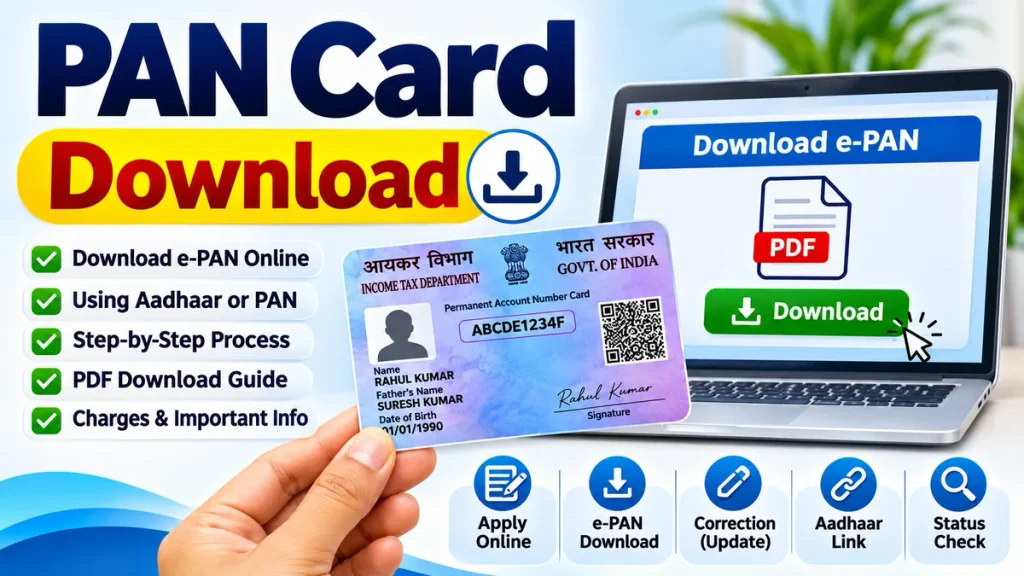
Many people search for PAN Card Download Online, e-PAN Card Download, PAN Card PDF Download, and PAN Card Download by Aadhaar Number. However, the correct downloading process depends on how the PAN was originally issued.
This complete guide explains the available methods, authentication requirements, downloading steps, possible charges, and solutions to common problems.
What Is an e-PAN Card?
An e-PAN is the electronic version of a Permanent Account Number document issued under the Income Tax Department’s PAN system. It contains important information such as the PAN number, cardholder’s name, date of birth, and other applicable identification details.
The electronic document is generally available in PDF format and can be stored securely on a smartphone, computer, or other digital device.
A properly issued e-PAN is legally valid. It can be used for many activities where electronic PAN documentation is accepted.
Unlike a physical PAN card, an e-PAN does not require postal delivery. However, obtaining a digital copy does not automatically change existing PAN details.
PAN Card Download Online – Important Details
| Service | Information |
|---|---|
| Document Name | Permanent Account Number |
| Digital Document | e-PAN Card |
| Issuing Authority | Income Tax Department |
| File Format | |
| Instant e-PAN Download | Available for eligible Instant e-PAN holders |
| Other e-PAN Downloads | Through the relevant PAN service provider |
| Authentication | Aadhaar OTP or provider-specific verification |
| Download Charges | Free or chargeable depending on service |
| Physical Card | Separate reprint facility may be available |
Understanding these differences helps applicants select the correct facility without unnecessary delays.
PAN Card Download Using Aadhaar Number
Individuals who obtained PAN through the Income Tax Department’s Instant e-PAN facility can download their electronic PAN using Aadhaar-based authentication.
This facility is intended for eligible Instant e-PAN requests. It should not be confused with a universal download service for every existing PAN holder.
Step-by-Step Process
Step 1: Open the Income Tax e-Filing Portal
Visit the official Income Tax e-Filing portal through a secure browser.
Step 2: Select Instant e-PAN
Find the Instant e-PAN option under the available quick services.
Step 3: Choose Download e-PAN
Select the Check Status / Download e-PAN facility.
Step 4: Enter Aadhaar Number
Provide the twelve-digit Aadhaar number associated with the eligible e-PAN request.
Step 5: Complete OTP Verification
Enter the six-digit OTP received on the mobile number registered with Aadhaar.
Step 6: Check PAN Status
The portal displays whether the Instant e-PAN request has been processed and allotted.
Step 7: Download the PDF
If the e-PAN has been generated, choose the download option and save the document securely.
The Aadhaar-linked mobile number must be accessible to complete authentication.
PAN Card Download Using PAN Number
Existing PAN holders may be able to obtain an e-PAN through the authorized provider responsible for their PAN application or subsequent correction.
Protean and UTI Infrastructure Technology and Services Limited (UTIITSL) provide PAN-related services, including electronic PAN facilities for eligible applicants.
Step-by-Step Process
- Identify the authorized provider that processed your PAN application.
- Open its official e-PAN download facility.
- Enter the requested PAN or application information.
- Provide your date of birth or other identification details where required.
- Complete the available authentication procedure.
- Review whether a download fee applies.
- Submit the request according to the provider’s instructions.
- Download or retrieve the e-PAN through the offered delivery method.
The process may involve email verification or delivery rather than an immediate browser download.
Applicants should follow the provider’s current instructions because verification requirements differ.
PAN Card Download Through UTIITSL
UTIITSL provides an electronic PAN facility for eligible applicants whose PAN issuance or correction was processed through its system.
Applicants generally need the required PAN information and access to the email address registered in PAN records.
Download Procedure
- Open the UTIITSL PAN services portal.
- Select the e-PAN download service.
- Enter the requested PAN information.
- Complete email-based OTP authentication.
- Pay the applicable charge if required.
- Follow the instructions for receiving the PDF.
UTIITSL currently provides a free e-PAN request within one month of the relevant issuance. Later requests may attract a small processing charge.
Applicants should confirm the displayed amount before payment.
PAN Card PDF Download – How to Open the File
After receiving an e-PAN, users should save the document in a secure folder.
Some PAN PDF files may be password-protected. A commonly used password format is the cardholder’s date of birth in DDMMYYYY format.
For example, a birth date of 15 August 1995 would be entered as 15081995.
However, password requirements can vary. Always follow the instructions supplied with the document.
Avoid uploading the PAN PDF to unknown websites simply to remove password protection.
Is PAN Card Download Free?
The cost depends on the facility used.
The Income Tax Department’s Instant e-PAN service is free for eligible applicants, including access to the resulting electronic PAN.
Other providers may charge for repeat electronic document requests or related services.
A physical PAN card reprint is a separate service and may involve printing and delivery charges.
Users should never assume that every PAN-related download is free.
PAN Card Download Without Aadhaar OTP
Some applicants cannot receive Aadhaar OTP because their registered mobile number is unavailable or inactive.
For the Instant e-PAN download facility, access to the Aadhaar-linked mobile number is necessary.
Existing PAN holders may have alternative verification arrangements through the provider that issued their PAN.
If authentication cannot be completed, applicants should first verify their registered contact information.
Updating Aadhaar or PAN contact details through the appropriate official process may be necessary.
Common PAN Card Download Problems
Users sometimes experience difficulties downloading their electronic PAN.
Incorrect PAN Details: Check whether the entered information matches official records.
OTP Not Received: Confirm network availability and registered contact details.
PAN Not Generated: Check the application status before requesting a download.
Wrong Service Provider: Use the facility applicable to the original PAN application.
PDF Not Opening: Verify the password instructions and file integrity.
Incorrect Personal Information: Request a PAN correction rather than modifying the downloaded document.
Repeated unsuccessful attempts should be avoided when an authentication restriction applies.
Benefits of Downloading an e-PAN Card
An electronic PAN provides several practical advantages for eligible users.
- Convenient access on smartphones and computers
- Electronic storage for future reference
- No postal waiting period for the downloaded copy
- Useful for supported online verification processes
- Reduced dependence on carrying a physical document
- Easy retrieval when an authorized download facility is available
The digital document should still be handled carefully because PAN information can be sensitive.
PAN Card Download Safety Tips
PAN holders should use only recognized government or authorized service-provider facilities.
Never disclose OTPs, passwords, or sensitive financial information to unknown callers.
Avoid downloading PAN documents on public computers or unsecured networks.
Check that the document contains the correct name and PAN details before submitting it for any financial purpose.
Frequently Asked Questions (FAQ)
1. Can I download my PAN card online?
Yes. Eligible PAN holders can access an electronic PAN through the appropriate official facility.
2. Can I download PAN using Aadhaar?
Yes, for eligible PANs issued through the Instant e-PAN service using Aadhaar OTP verification.
3. Is an e-PAN legally valid?
Yes. A properly issued e-PAN is a valid electronic PAN document.
4. Can I download PAN without a mobile number?
This depends on the service. Instant e-PAN download requires Aadhaar-linked mobile authentication.
5. Is PAN Card PDF Download free?
Instant e-PAN downloads are free. Other provider services may charge fees.
6. Can I download PAN if my physical card is lost?
Eligible holders may request an electronic copy or use a physical card reprint service.
7. Does downloading e-PAN create a new PAN number?
No. Downloading an existing electronic PAN does not generate another PAN number.
Conclusion
PAN Card Download provides a convenient way to access an electronic PAN for taxation, banking, and other applicable financial requirements.
The correct process depends on whether the PAN was issued through Instant e-PAN, Protean, or UTIITSL.
By selecting the appropriate service, completing authentication, and protecting personal information, users can obtain their available e-PAN without unnecessary confusion.
Always verify current service requirements, charges, and document details before completing the download process.