PAN Card Correction Online – How to Update Name, Date of Birth, Photo, Signature & Address
PAN Card Correction Online is an important service for individuals who need to update incorrect information in their Permanent Account Number records. Whether your PAN card contains a spelling mistake, incorrect date of birth, outdated photograph, or inaccurate personal details, an authorized correction facility can help you request the necessary changes.
A PAN card is issued by the Income Tax Department of India and is widely used for taxation, banking, investments, and financial verification. Incorrect PAN details can cause difficulties during KYC verification, PAN-Aadhaar linking, income tax filing, and other financial procedures.
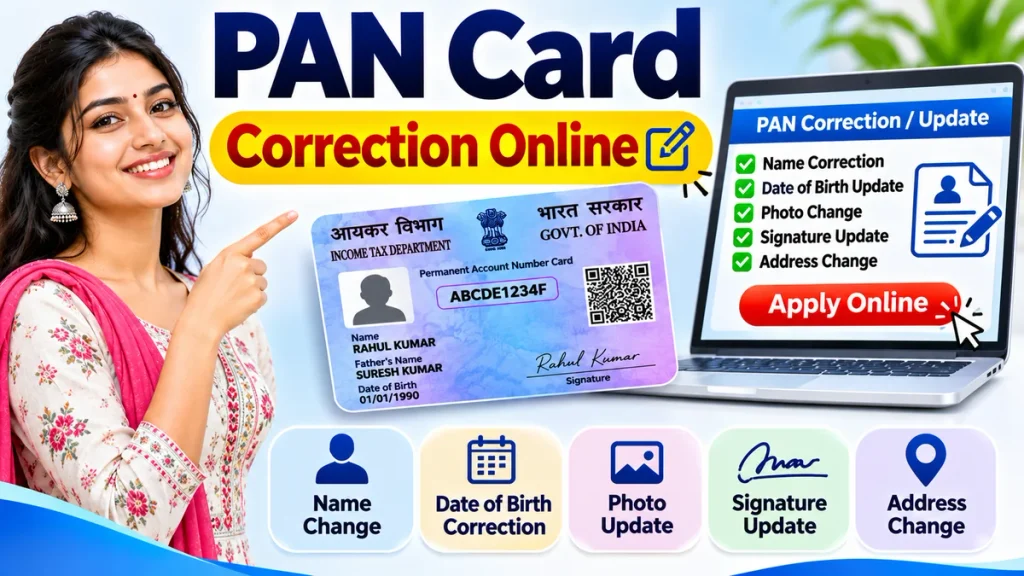
Fortunately, eligible PAN holders can request corrections through authorized online services without necessarily visiting an office. This guide explains PAN Card Name Correction, Date of Birth Update, Photo Change, Signature Correction, required documents, application fees, and status tracking.
What Is PAN Card Correction Online?
PAN Card Correction Online allows existing PAN holders to request modifications to information recorded against their Permanent Account Number.
The correction process does not normally change the original PAN number. Instead, approved changes are reflected in the department’s records and any newly issued PAN document.
Common correction requests include:
- Name and spelling corrections
- Date of birth corrections
- Parent’s name updates
- Photograph replacement
- Signature updates
- Communication address changes
- Contact information updates
Applicants must provide supporting documents wherever required.
PAN Card Correction Online – Important Details
| Particulars | Information |
|---|---|
| Service Name | PAN Card Correction |
| Issuing Authority | Income Tax Department |
| Application Mode | Online or PAN service centre |
| Authorized Providers | Protean and UTIITSL |
| Individual Correction Form | PAN CR-01 |
| Non-Individual Correction Form | PAN CR-02 |
| Existing PAN Number | Remains unchanged |
| Supporting Documents | Based on requested correction |
| Processing Fee | Depends on selected service |
| Application Tracking | Available online |
Applicants should carefully review the current requirements before submitting their correction application.
PAN Card Correction Online – Step-by-Step Process
PAN holders can submit correction requests through authorized PAN service providers.
Step 1: Open an Authorized PAN Portal
Visit the official PAN services facility operated by Protean or UTIITSL.
Choose the service for changes or corrections in existing PAN data.
Step 2: Select the Correct Form
Choose the appropriate application category.
Under the revised rules effective April 1, 2026, individual applicants use PAN CR-01, while non-individual applicants use PAN CR-02.
Step 3: Enter Existing PAN Details
Provide your existing ten-character PAN number and the requested personal information.
Ensure the entered details match the documents being submitted.
Step 4: Select Information for Correction
Identify the fields requiring modification.
These may include name, birth date, parent information, photograph, signature, or communication details.
Step 5: Upload Supporting Documents
Submit the required identity, address, birth-date, or change-specific evidence.
The documents must support the requested information.
Step 6: Complete Verification
Follow the available electronic authentication procedure or submit signed documents according to the selected application method.
Step 7: Pay Applicable Charges
Review the final processing fee and complete payment through an accepted method.
Step 8: Submit the Application
Review the entered details and confirm the correction request.
Save the acknowledgement number for future tracking.
PAN Card Name Correction Online
Name correction is commonly required when PAN records contain spelling mistakes or differ from other identification documents.
Applicants may need to correct their first name, surname, or other recorded name information.
How to Correct Your Name
- Select the PAN correction facility.
- Enter your existing PAN number.
- Choose the name correction field.
- Enter the correct full name.
- Submit suitable identity evidence.
- Provide additional proof for significant name changes.
- Complete payment and verification.
- Save the acknowledgement receipt.
Minor spelling corrections and significant legal name changes may require different supporting documents.
For example, a legal name change may require a marriage certificate, gazette notification, or other accepted evidence.
PAN Card Date of Birth Correction
An incorrect date of birth may create difficulties during identity verification and PAN-Aadhaar linking.
Applicants must provide the correct birth date supported by acceptable documentary evidence.
Step-by-Step DOB Correction
- Open the authorized correction service.
- Select the date-of-birth correction option.
- Enter the accurate date of birth.
- Upload accepted birth-date evidence.
- Verify the entered information.
- Pay the applicable processing fee.
- Submit the request.
- Track the application status.
The supporting document must clearly establish the requested date of birth.
PAN Card Photo Change Online
PAN holders may request a photograph update when their existing photograph is incorrect, unclear, or requires replacement.
The application procedure depends on the verification method selected.
Photo Correction Steps
- Select the PAN correction application.
- Enter your existing PAN information.
- Choose the photograph-related correction.
- Prepare a recent photograph.
- Follow the provider’s image specifications.
- Upload or submit the photograph.
- Complete authentication and payment.
- Save the acknowledgement details.
Photograph dimensions, file format, and submission requirements must match the provider’s instructions.
PAN Card Signature Correction
An incorrect or unclear signature can cause difficulties when identification documents are reviewed.
Applicants can request a signature update using the applicable PAN correction procedure.
Signature Update Process
- Open the correction application.
- Choose the signature correction field.
- Prepare the signature in the accepted format.
- Upload or submit the required image.
- Complete identity verification.
- Pay the applicable charge.
- Submit the correction request.
Avoid submitting cropped, distorted, or unclear signature images.
PAN Card Address and Contact Details Update
PAN holders can also request updates to their communication address or contact information.
A current address helps ensure that correspondence and physical PAN documents reach the intended recipient.
Applicants should enter accurate address details and provide accepted address evidence where required.
Mobile numbers and email addresses should also be checked carefully because they may be used for application communication or authentication.
Updating PAN contact records is different from updating Aadhaar information.
Documents Required for PAN Card Correction
Required documents depend on the information being corrected.
| Correction Type | Possible Supporting Documents |
|---|---|
| Name Correction | Accepted identity proof |
| Legal Name Change | Marriage certificate or other accepted evidence |
| Date of Birth | Accepted birth-date proof |
| Address Change | Valid address evidence |
| Photograph | Recent photograph |
| Signature | Signature in prescribed format |
| Existing PAN | PAN card or allotment evidence |
Not every applicant needs every document. Always follow the current category-specific instructions.
PAN Card Correction Fees
PAN correction is generally a chargeable service when submitted through authorized PAN providers.
Fees depend on the application method, electronic verification arrangements, physical card requirements, and communication address.
For example, certain paperless applications with Indian communication addresses may cost approximately ₹66 when no physical card is requested or ₹101 when a physical card is included.
Additional charges may apply depending on the selected authentication service.
Applicants should confirm the displayed fee before making payment.
PAN Card Correction Status Check
After submission, applicants can monitor their correction request online.
How to Track Correction Status
- Open the relevant provider’s tracking facility.
- Select PAN application tracking.
- Enter the acknowledgement or coupon number.
- Provide additional requested information.
- Submit the tracking request.
- Review the current processing status.
Possible stages include document verification, application processing, approval, and dispatch.
Processing time varies depending on the complexity of the correction.
Common PAN Card Correction Problems
Name Mismatch: Confirm that the requested name is supported by accepted documents.
Incorrect Birth-Date Evidence: Submit a valid document showing the correct information.
Photo Rejection: Follow the prescribed image specifications.
Signature Mismatch: Upload or submit a clear signature.
Authentication Failure: Verify registered contact information and authentication details.
Application Pending: Check the provider’s tracking facility for updates.
Incomplete or contradictory information may result in delays or rejection.
Frequently Asked Questions (FAQ)
1. Can I correct my PAN card online?
Yes. Existing PAN holders can request corrections through authorized PAN service providers.
2. Can I change my name on PAN?
Yes. Name corrections are permitted with appropriate supporting documents.
3. Is PAN Card Correction free?
Standard correction applications generally involve processing charges.
4. Can I update my PAN photograph?
Yes. Applicants can request photograph replacement through the relevant correction facility.
5. Does PAN correction change my PAN number?
No. Approved corrections normally retain the existing PAN number.
6. How can I check PAN correction status?
Use the authorized provider’s tracking service and enter the acknowledgement or reference number.
7. Can I correct my date of birth?
Yes. A date-of-birth correction can be requested with acceptable documentary evidence.
8. How long does PAN correction take?
Processing times vary depending on verification, document accuracy, and application requirements.
Conclusion
PAN Card Correction Online provides a convenient way to update incorrect name, date of birth, photograph, signature, address, and other personal information.
Choosing the correct application form and submitting accurate supporting documents can help reduce unnecessary processing difficulties.
Before submitting a request, review every detail carefully, confirm the applicable charges, and retain your acknowledgement number.
Always use authorized PAN services and protect your personal information throughout the correction process.