Instant e-PAN Card – How to Apply Online for Free Using Aadhaar, Check Status & Download
Instant e-PAN Card is a convenient online service for eligible Indian individuals who want to obtain a Permanent Account Number without paying an application fee. The Income Tax Department provides this facility through its e-Filing portal, allowing first-time applicants to request a digitally signed PAN using Aadhaar-based verification.
A PAN is a unique ten-character alphanumeric number used for income tax administration, banking, investments, and financial activities where PAN identification is required. Having a valid PAN can make several financial and tax-related procedures easier.
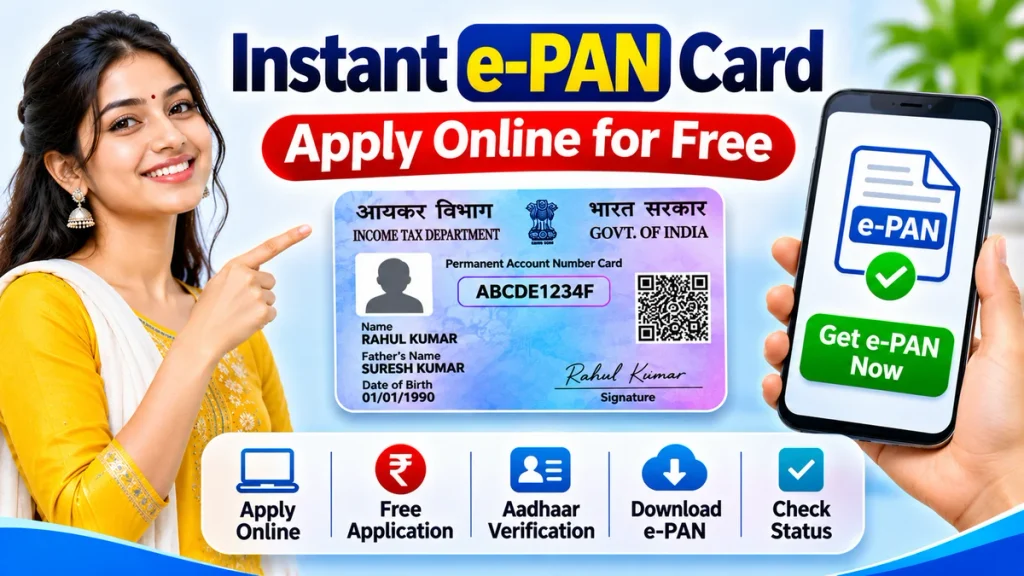
Many people search for Instant e-PAN Card Apply Online, Free PAN Card Using Aadhaar, Instant PAN Download, and e-PAN Status Check. However, understanding eligibility and the current verification requirements is essential before submitting an application.
This guide explains how to apply, which documents are required, how DigiLocker verification works, and how to download your electronic PAN.
What Is an Instant e-PAN Card?
Instant e-PAN is a digitally signed electronic PAN issued through the Income Tax Department’s online facility.
It allows eligible first-time individual applicants to receive PAN allotment without completing the regular paid PAN application process.
The service uses Aadhaar-based identity verification and DigiLocker-supported date-of-birth documentation.
An e-PAN is legally valid and contains the same permanent identification number used for applicable tax and financial activities.
Unlike a traditional physical PAN card, Instant e-PAN is provided electronically. Applicants can download the generated document after successful processing.
The word “Instant” describes the simplified digital facility and does not guarantee approval within a fixed number of minutes.
Instant e-PAN Card – Important Information
| Particulars | Details |
|---|---|
| Service Name | Instant e-PAN |
| Issuing Authority | Income Tax Department |
| Application Mode | Online |
| Application Fee | Free |
| Aadhaar Required | Yes |
| Aadhaar-Linked Mobile | Required |
| DigiLocker Access | Required |
| Date-of-Birth Proof | Accepted DigiLocker document |
| Minimum Age | 18 years |
| Digital PAN Download | Available after allotment |
| Physical PAN Card | Not issued automatically |
| Application Tracking | Available online |
The facility is designed for individuals meeting all applicable eligibility conditions.
Who Is Eligible for Instant e-PAN?
Before applying, check whether you qualify for the service.
Eligible applicants generally must:
- Be an individual who has never received PAN.
- Possess a valid Aadhaar number.
- Have an active mobile number linked with Aadhaar.
- Have access to DigiLocker.
- Be an adult on the application date.
- Have acceptable date-of-birth evidence.
- Not fall under the representative-assessee restrictions.
Applicants must also agree to the required verification and data-sharing declarations.
An individual who already has a PAN cannot obtain another PAN through this facility.
Minors and certain other applicants must use the appropriate regular PAN application procedure.
Documents Required for Instant e-PAN Card
The current process requires Aadhaar information and acceptable date-of-birth documentation available through DigiLocker.
Applicants may use prescribed documents such as:
| Document | Purpose |
|---|---|
| Aadhaar | Identity verification |
| Aadhaar-Linked Mobile | OTP authentication |
| Birth Certificate | Date-of-birth proof |
| Class 10 Certificate | Date-of-birth verification |
| Class 10 Marksheet | Accepted birth-date evidence |
| Driving Licence | Date-of-birth evidence |
| CGHS Card | Eligible date-of-birth proof |
Only documents meeting the prescribed conditions can be used.
Applicants should ensure that their personal information is accurate and that the relevant document is accessible through DigiLocker.
Instant e-PAN Card Apply Online – Step-by-Step Process
The Income Tax Department provides the Instant e-PAN application facility without requiring a regular e-Filing account before starting.
Step 1: Open the Income Tax e-Filing Portal
Visit the official Income Tax e-Filing portal through a secure browser.
Locate the Instant e-PAN service under Quick Links.
Step 2: Select Get New e-PAN
Choose the option to generate a new electronic PAN.
Carefully read the instructions before proceeding.
Step 3: Confirm Eligibility
Review the displayed eligibility declarations.
Confirm that you do not already possess PAN and satisfy the required conditions.
Provide consent for the necessary Aadhaar and DigiLocker verification.
Step 4: Complete DigiLocker Authentication
The system redirects applicants to DigiLocker.
Sign in using the supported authentication procedure or create an account if eligible.
Step 5: Select Date-of-Birth Proof
Choose an accepted document available through DigiLocker.
Authorize the required information sharing with the Income Tax Department.
Step 6: Complete Aadhaar Verification
Enter the Aadhaar details requested by the portal.
Generate an OTP using the mobile number registered with Aadhaar.
Step 7: Enter the OTP
Provide the received OTP within its permitted validity period.
Complete the required identity confirmation.
Step 8: Review Application Information
Check the personal details displayed during the process.
Ensure the information matches the supporting records.
Step 9: Submit the Request
Complete the remaining declarations and submit your Instant e-PAN request.
Step 10: Save Acknowledgement Details
Record the acknowledgement or reference information displayed after submission.
You can use the service again to check processing progress and download your PAN after allotment.
Instant e-PAN Download – How to Download Your PAN
After successful PAN generation, applicants can obtain the electronic document through the Income Tax e-Filing portal.
Step-by-Step Download Process
- Open the Income Tax e-Filing portal.
- Select Instant e-PAN.
- Choose Check Status / Download e-PAN.
- Enter the required Aadhaar number.
- Complete OTP authentication.
- Review the request status.
- Select the download option if PAN has been allotted.
- Save the electronic PAN securely.
The downloaded e-PAN can be stored on a smartphone or computer.
Applicants should avoid unnecessarily sharing the document with unknown individuals or websites.
Instant e-PAN Card Status Check Online
Submitting a request does not guarantee immediate allotment.
Users should verify whether the application is still being processed or has been completed.
How to Check Status
- Open the Instant e-PAN service.
- Select Check Status / Download e-PAN.
- Provide the requested Aadhaar details.
- Complete authentication.
- View the current application status.
- Download the document when available.
If the request remains pending, check again later.
Is Instant e-PAN Card Completely Free?
Yes. The official Instant e-PAN generation facility is free for eligible applicants.
There is no standard application charge for generating an electronic PAN through this service.
However, requesting a separately printed physical PAN card may involve processing and delivery charges.
Applicants should distinguish between free electronic PAN generation and chargeable physical card services.
Instant e-PAN vs Physical PAN Card
| Feature | Instant e-PAN | Physical PAN |
|---|---|---|
| Format | Electronic PDF | Printed card |
| PAN Number | Permanent | Permanent |
| Legal Validity | Valid | Valid |
| Delivery | Online download | Physical delivery |
| Cost | Free for eligible applicants | Applicable charges |
| Application Method | Aadhaar and DigiLocker | Regular PAN process |
Both formats represent PAN issued under the official PAN system.
Common Instant e-PAN Application Problems
Aadhaar Mobile Number Not Linked
OTP authentication may fail if the Aadhaar-linked mobile number is unavailable.
Applicants must update the registered mobile information through the appropriate Aadhaar service.
DigiLocker Document Unavailable
The application may not proceed if acceptable birth-date evidence cannot be provided through the prescribed process.
Incorrect Personal Information
Mismatched information can cause validation problems.
Correct inaccurate records before submitting another request.
PAN Already Exists
Individuals who already possess PAN are not eligible for a second allotment through Instant e-PAN.
Application Still Pending
Processing may take additional time depending on verification requirements.
Check the official request status instead of submitting duplicate applications.
Benefits of Instant e-PAN Card
The service offers several advantages:
- Free electronic PAN generation
- Online application from a compatible device
- Aadhaar-based identity verification
- DigiLocker-supported documentation
- No automatic requirement for physical card delivery
- Digital document access after allotment
- Online application status tracking
These benefits make Instant e-PAN useful for eligible first-time applicants.
Important Safety Tips
Use the official Income Tax e-Filing facility.
Never share Aadhaar OTPs or DigiLocker passwords with unknown persons.
Avoid websites promising guaranteed PAN approval in exchange for additional payments.
Check application details carefully before submission.
Store your downloaded electronic PAN in a secure location.
Frequently Asked Questions (FAQ)
1. Can I apply for Instant e-PAN online for free?
Yes. Eligible individuals can obtain Instant e-PAN without paying an application fee.
2. Is Aadhaar compulsory for Instant e-PAN?
Yes. Valid Aadhaar and access to the linked mobile number are required.
3. Is DigiLocker required?
Yes. The current application process uses DigiLocker for acceptable date-of-birth evidence.
4. Can I apply if I already have PAN?
No. Instant e-PAN is intended for individuals who have not previously been allotted PAN.
5. Can minors apply for Instant e-PAN?
No. Minors must use the appropriate regular PAN application process.
6. Will I receive a physical PAN card?
No. The facility generates an electronic PAN. A physical card may be requested separately.
7. Is Instant e-PAN legally valid?
Yes. A properly issued electronic PAN is legally valid.
8. How can I check Instant e-PAN status?
Use the Check Status / Download e-PAN service on the Income Tax e-Filing portal.
Conclusion
Instant e-PAN Card provides a free and convenient online method for eligible first-time applicants to obtain a Permanent Account Number.
With Aadhaar authentication, an active registered mobile number, and DigiLocker-supported date-of-birth proof, applicants can complete the required verification digitally.
Understanding eligibility, following the correct application steps, and checking the request status can help prevent avoidable problems.
Always use authorized government services, protect personal information, and download the electronic PAN only after successful allotment.