Ayushman Card Download – How to Download Your Ayushman Bharat Health Card Online Using Mobile
Healthcare expenses can become a major financial challenge for Indian families, especially when emergency hospitalization or expensive surgery is required. To help eligible households manage these costs, the Government of India operates Ayushman Bharat Pradhan Mantri Jan Arogya Yojana (PM-JAY), providing financial protection through approved cashless hospital treatment.
The Ayushman Card Download facility allows eligible beneficiaries to access their digital healthcare identification card through authorized online services. With a smartphone, internet connection, and required identity verification, beneficiaries can check their card status and download an approved Ayushman Card without repeatedly visiting an enrollment center.
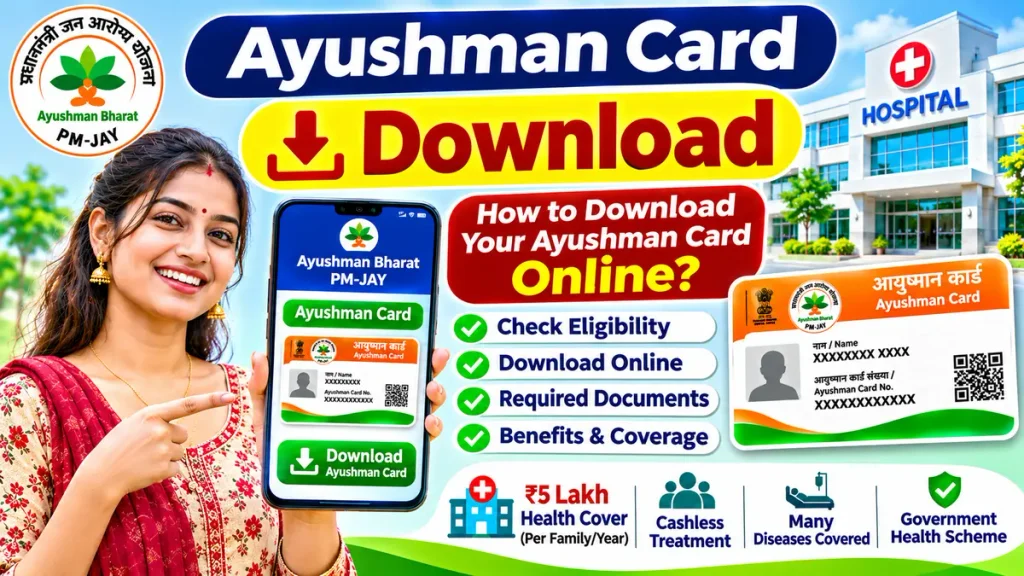
However, downloading an Ayushman Card requires successful beneficiary identification and applicable verification. This guide explains how to download your card, check eligibility, complete e-KYC, resolve common problems, and understand the available healthcare benefits.
What Is an Ayushman Card?
The Ayushman Card is a beneficiary identification document issued under Ayushman Bharat PM-JAY.
It helps eligible individuals access approved cashless hospitalization services at participating government and private hospitals.
Under standard PM-JAY coverage, eligible families receive healthcare protection of up to ₹5 lakh annually on a family-floater basis.
This means the benefit is shared among covered family members rather than deposited directly into individual bank accounts.
The digital card contains beneficiary identification information used during healthcare verification.
Ayushman Card Download Overview
| Particulars | Details |
|---|---|
| Scheme Name | Ayushman Bharat PM-JAY |
| Card Name | Ayushman Card |
| Download Facility | Online |
| Official Service | PM-JAY Beneficiary Portal |
| Mobile Application | Ayushman App |
| Annual Health Coverage | Up to ₹5 lakh per eligible family |
| Verification | Beneficiary identification and applicable e-KYC |
| Card Format | Digital card |
| Hospital Facility | Approved cashless hospitalization |
| Official Helpline | 14555 |
How to Download Ayushman Card Online
Eligible beneficiaries can use the official beneficiary platform to obtain their digital cards.
Step 1: Open the Official Beneficiary Portal
Open your smartphone browser and access the authorized PM-JAY beneficiary platform.
Make sure you are using a genuine government service rather than an unknown website requesting personal information.
Step 2: Select Beneficiary Login
Choose the beneficiary login option displayed on the platform.
Enter your mobile number and complete the required verification using the available authentication method.
Step 3: Select Your State
Choose your state from the available list.
Select the applicable healthcare scheme if multiple options are displayed.
Step 4: Search Your Beneficiary Record
Use an available search method, such as Aadhaar details, beneficiary identification, or other supported family information.
Search options may differ depending on the state and platform interface.
Step 5: Check Your Card Status
Review the beneficiary information displayed in the system.
If your card is approved and available for download, proceed to the next step.
Step 6: Complete Required Authentication
The system may request identity authentication before providing access to the card.
Follow the instructions and complete the verification process securely.
Step 7: Download Your Ayushman Card
Select the available download option to save your digital Ayushman Card.
Keep the downloaded document securely on your phone for future reference.
Ayushman Card Download Using Mobile App
The official Ayushman App provides another convenient way to access supported beneficiary services.
First, install the authentic Ayushman App published by the National Health Authority from a trusted application store.
Open the application and select the beneficiary access option.
Complete the required login verification, search your beneficiary information, and review the card status.
If an approved digital card is available, follow the displayed instructions to download it.
The application may also support beneficiary verification and card-generation functions, depending on the user’s eligibility and available features.
Documents Required for Ayushman Card Download
Before starting, keep the relevant identification information ready.
Commonly useful documents or details include:
- Aadhaar card for applicable identity verification.
- Registered or accessible mobile number.
- Ration card or family identification, where required.
- Existing beneficiary identification details.
- Additional documents requested during verification.
Document requirements depend on beneficiary categories and applicable government procedures.
Having these documents does not automatically guarantee eligibility.
Who Is Eligible to Download Ayushman Card?
Standard PM-JAY eligibility depends on government-identified beneficiary households and applicable state-specific arrangements.
The original scheme primarily targeted economically vulnerable families identified through deprivation and occupational criteria.
Certain households included through additional state healthcare arrangements may also qualify.
Beneficiaries must appear in applicable official records or satisfy an approved eligibility provision.
Therefore, every Indian citizen cannot automatically download an Ayushman Card simply by entering an Aadhaar number.
Ayushman Card Download for Senior Citizens Above 70
Senior citizens aged 70 years and above have special healthcare coverage provisions under the expanded PM-JAY scheme.
Eligible individuals in this age group can enroll regardless of income, subject to applicable rules.
Aadhaar-based e-KYC is mandatory for enrollment under this expansion.
After completing the enrollment procedure, eligible senior citizens receive a distinct Ayushman card.
Those already belonging to PM-JAY-covered families may receive additional coverage arrangements specifically for eligible senior members.
Families should verify the applicable coverage structure during enrollment.
What Benefits Are Available After Downloading the Card?
An approved Ayushman Card helps beneficiaries identify themselves when seeking covered hospital treatment.
Depending on applicable package rules, eligible services may include:
- Approved surgeries and hospitalization.
- Cardiac and orthopedic procedures.
- Selected cancer-related treatment.
- Hospital diagnostic investigations.
- Medicines included within approved packages.
- Intensive care and nursing services.
- Specified pre-hospitalization and post-hospitalization expenses.
Pre-existing diseases are covered from the beginning under applicable PM-JAY provisions.
However, downloading the card does not guarantee that every treatment at every hospital will be free.
Ayushman Card Not Downloading? Common Problems
Sometimes beneficiaries experience difficulties while accessing their digital cards.
Mobile OTP Not Received
Check your network connection, entered mobile number, and message availability.
Retry verification after confirming the correct information.
Beneficiary Name Not Found
Verify your state, search method, and entered identification details.
If necessary, contact an authorized assistance center.
e-KYC Verification Failed
Ensure that your information matches the applicable identity records.
Seek guidance through authorized verification facilities if problems continue.
Card Approval Pending
An incomplete verification or pending approval may prevent immediate downloading.
Check the status through the official platform.
Download Option Missing
The card may not yet be approved or available through the selected account.
Contact the official helpline for assistance.
How to Use the Downloaded Ayushman Card at a Hospital
Visit a PM-JAY empanelled hospital offering the required medical specialty.
Contact its Ayushman help desk and present your card with accepted identification documents.
Hospital staff will verify your beneficiary status and determine whether the proposed treatment qualifies under an approved package.
Where required, the hospital will process treatment authorization.
Approved package services can then be provided cashlessly under applicable scheme conditions.
Always confirm treatment eligibility before planned admission.
Frequently Asked Questions (FAQ)
1. Can I download my Ayushman Card using a mobile phone?
Yes. Eligible beneficiaries can use the official beneficiary portal or Ayushman App to access available digital card services.
2. Is Ayushman Card download free?
Authorized digital beneficiary services generally provide card access without a separate download charge. Avoid unofficial websites demanding unnecessary payments.
3. Can I download an Ayushman Card using Aadhaar?
Aadhaar may support identification and authentication, but eligibility and applicable verification must also be established.
4. What should I do if my card is pending?
Check your verification status and contact an authorized assistance center if additional action is required.
5. Does an Ayushman Card provide ₹5 lakh in cash?
No. The benefit provides approved healthcare coverage, not a direct cash payment.
6. Can senior citizens above 70 download their cards?
Yes. Eligible senior citizens can enroll through authorized services and access their distinct cards after successful verification.
7. Can I use my digital card at private hospitals?
Yes, at participating private hospitals offering approved treatments, subject to beneficiary verification and scheme requirements.
Conclusion
The Ayushman Card Download facility makes it easier for eligible beneficiaries to access their digital healthcare identification documents using a smartphone. Through authorized beneficiary services, individuals can verify their details, complete required authentication, and obtain an approved card.
Before visiting a hospital, confirm your eligibility, card status, hospital empanelment, and treatment coverage. Understanding these requirements helps families use PM-JAY benefits appropriately while avoiding misleading claims and unofficial services.
Disclaimer: This article is for general educational purposes. Beneficiary eligibility, card download procedures, verification requirements, and healthcare benefits may change. Always confirm current information through authorized PM-JAY services before making medical or financial decisions.