Aadhaar PAN Card Link Status – How to Check PAN Aadhaar Linking Status Online
Aadhaar Card and PAN Card are two important identification documents used for financial and tax-related activities in India. While Aadhaar provides a unique identity number to eligible residents, the Permanent Account Number (PAN) is issued by the Income Tax Department for taxation and financial transactions.
The Aadhaar PAN Card Link Status facility allows individuals to check whether their PAN is successfully linked with their Aadhaar number. This verification is especially important because eligible PAN holders who fail to complete mandatory Aadhaar linking may face restrictions associated with an inoperative PAN.
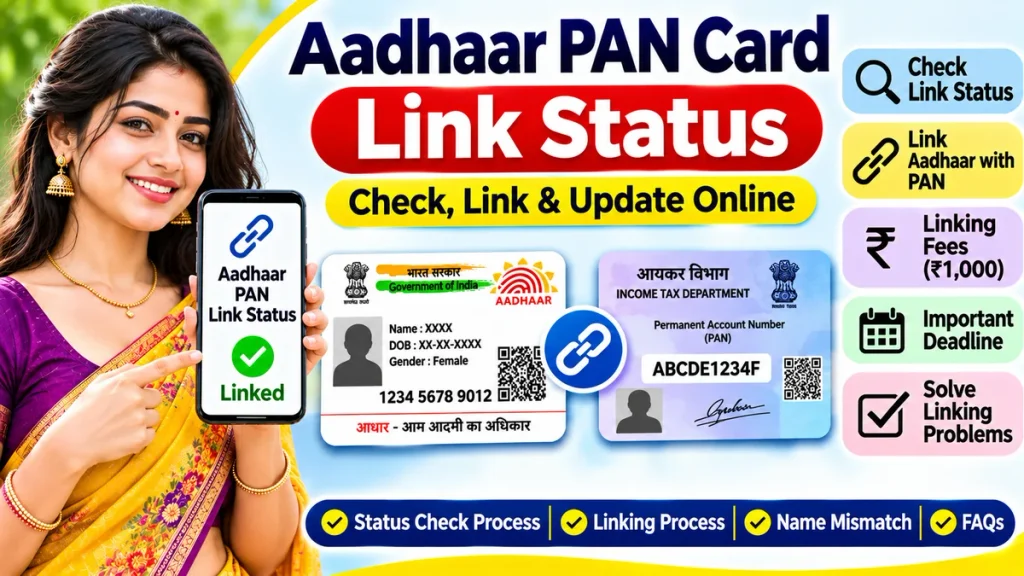
Fortunately, the Income Tax Department provides an online facility to check PAN Aadhaar linking status using a smartphone or computer. This guide explains the complete checking process, linking procedure, applicable fees, important deadlines, common problems, and frequently asked questions.
What Is Aadhaar PAN Card Link Status?
Aadhaar PAN Card Link Status indicates whether a person’s Permanent Account Number has been successfully connected with their Aadhaar number in Income Tax Department records.
The linking process helps establish the relationship between these two identification documents and supports tax administration.
Under applicable income tax provisions, eligible PAN holders must link their PAN with Aadhaar.
Individuals falling under officially notified exemption categories may have different requirements.
Checking your linking status helps determine whether your documents are linked, whether verification is pending, or whether further action is required.
Aadhaar PAN Card Link Status – Important Details
| Particulars | Details |
|---|---|
| Service Name | Aadhaar PAN Link Status |
| Responsible Authority | Income Tax Department |
| Identification Documents | Aadhaar and PAN |
| Checking Method | Online |
| Status Checking Fee | Free |
| Login Required | Not Required for Basic Status Check |
| PAN Number | 10-Character Alphanumeric Number |
| Aadhaar Number | 12-Digit Identification Number |
| Late Linking Fee | Generally ₹1,000 |
| Status Availability | Income Tax e-Filing Portal |
| Verification Device | Mobile or Computer |
Why Is Aadhaar PAN Linking Important?
PAN Aadhaar linking is a statutory requirement for many individual taxpayers in India.
A properly linked PAN can help prevent complications when filing income tax returns, claiming eligible refunds, and completing financial transactions where PAN verification is necessary.
If PAN becomes inoperative because of non-linking, certain consequences may apply.
These can include higher tax deduction or collection rates where applicable and restrictions affecting income tax refunds.
However, not everyone is subject to identical linking requirements.
Some individuals qualify for exemptions under government notifications.
How to Check Aadhaar PAN Card Link Status Online
The Income Tax Department provides a convenient facility for checking PAN Aadhaar linking status without logging into an e-filing account.
Step-by-Step Linking Status Check
Step 1: Open the Income Tax e-Filing Portal
Open a browser on your smartphone, laptop, or desktop computer.
Visit the official Income Tax Department e-filing portal.
Step 2: Find the Link Aadhaar Service
On the homepage, locate the Quick Links section.
Select the Link Aadhaar or View Status facility.
Step 3: Choose View Status
Open the status checking option.
The portal will display a form requesting identification details.
Step 4: Enter Your PAN Number
Enter your 10-character Permanent Account Number accurately.
Check letters and numbers carefully.
Step 5: Enter Aadhaar Number
Provide your 12-digit Aadhaar number in the corresponding field.
Step 6: Submit Your Details
Select the View Link Aadhaar Status option.
The system will validate the entered information.
Step 7: Check Your Linking Status
Review the message displayed on the screen.
The result may confirm successful linking, indicate that validation is still processing, or show that linking has not been completed.
How to Check PAN Aadhaar Link Status After Login
Registered taxpayers can also check linking status from their income tax e-filing account.
Step-by-Step Process
- Open the official Income Tax e-Filing portal.
- Sign in using your registered credentials.
- Access the taxpayer dashboard.
- Find the Link Aadhaar or Link Aadhaar Status option.
- Alternatively, open My Profile.
- Select Link Aadhaar Status.
- Review the available linking information.
If your Aadhaar is already linked, the relevant details should appear in your account.
If linking is incomplete, the portal may provide instructions for completing the process.
Understanding Aadhaar PAN Linking Status
The Income Tax Department may display different messages depending on the condition of your linking request.
| Status | Meaning |
|---|---|
| Successfully Linked | Aadhaar and PAN are linked |
| Linking in Progress | Verification is still processing |
| Not Linked | Linking has not been completed |
| Validation Failed | Entered details or verification require attention |
| PAN Inoperative | PAN may be affected by non-linking |
| Incorrect Mapping | Aadhaar or PAN may be linked incorrectly |
A submitted request should not be treated as successfully completed until the official status confirms linking.
How to Link Aadhaar Card with PAN Card Online
If your PAN and Aadhaar are not linked, you may submit a linking request through the official Income Tax Department service.
Step-by-Step PAN Aadhaar Linking Process
Step 1: Visit the Official Portal
Open the Income Tax e-Filing portal and locate the Link Aadhaar service.
Step 2: Enter PAN and Aadhaar Details
Provide both identification numbers.
Ensure that the information matches the respective documents.
Step 3: Validate Your Information
Complete the initial validation process.
The system may identify whether the required linking fee has already been paid.
Step 4: Pay the Applicable Fee
If payment is required, use the official e-Pay Tax facility.
Select the appropriate payment category and complete the prescribed transaction.
Step 5: Wait for Payment Verification
The Income Tax Department advises that payment details may take approximately four to five working days to become available for linking verification.
Step 6: Submit the Linking Request
Return to the Link Aadhaar service after the payment is recognised.
Enter the required details and submit the request.
Step 7: Complete Authentication
Follow the applicable verification instructions displayed by the portal.
Step 8: Check Linking Status
After submitting the request, use the status checking facility to confirm successful linking.
Aadhaar PAN Linking Fee
The Income Tax Department generally requires a fee of ₹1,000 for delayed PAN Aadhaar linking where the statutory requirement applies.
The fee is paid through the official e-Pay Tax system.
| Service | Applicable Charge |
|---|---|
| PAN Aadhaar Link Status Check | Free |
| Delayed PAN Aadhaar Linking | Generally ₹1,000 |
| New PAN Application | Separate Applicable Charges |
| Aadhaar Correction | As Prescribed by UIDAI |
| PAN Correction | As Prescribed by PAN Service Provider |
Certain cases may be governed by specific exemptions or different procedures.
Always verify the fee shown on the official portal before making payment.
PAN Aadhaar Linking Deadline – Important Information
The general PAN Aadhaar linking deadline for affected existing PAN holders passed on June 30, 2023.
The Income Tax Department subsequently provided certain relief measures.
For example, individuals whose PAN was allotted using an Aadhaar Enrolment ID were required to complete linking with their actual Aadhaar number by December 31, 2025.
Failure to comply with this specific requirement could make the PAN inoperative from January 1, 2026.
As of November 2026, individuals with incomplete mandatory linking should check their current status and complete the applicable procedure rather than relying on an expired deadline.
What Happens If PAN Is Not Linked with Aadhaar?
An eligible individual’s PAN may become inoperative if mandatory linking remains incomplete.
Potential consequences include:
- Higher TDS or TCS rates in applicable circumstances
- Difficulties receiving certain income tax refunds
- Restrictions associated with an inoperative PAN
- Additional complications during PAN-based financial verification
The exact consequences depend on applicable tax provisions and individual circumstances.
PAN becoming inoperative does not automatically mean the number has been permanently cancelled.
How to Make an Inoperative PAN Operative Again
Individuals whose PAN became inoperative due to Aadhaar non-linking can generally restore its operative status by completing the prescribed linking procedure.
Step-by-Step Reactivation Process
- Check the current PAN Aadhaar linking status.
- Confirm whether mandatory linking applies.
- Verify the personal details recorded on both documents.
- Pay the prescribed linking fee, if required.
- Complete payment verification.
- Submit the Aadhaar PAN linking request.
- Wait for the processing period.
- Check PAN status again.
According to Income Tax Department guidance, an inoperative PAN can generally become operative within 30 days after the required Aadhaar intimation is completed, subject to the relevant conditions.
Aadhaar PAN Name Mismatch – How to Fix It
Sometimes PAN Aadhaar linking fails because personal details differ between the two documents.
Common problems include differences in spelling, date of birth, or other identity information.
For example, a person may have initials in PAN records but a full name in Aadhaar records.
If validation fails, check which document contains incorrect information.
Submit the relevant correction request through the authorised PAN or UIDAI process.
After the correction is completed, retry the linking request.
Certain cases may require biometric authentication through authorised PAN service centres.
Who Is Exempt from PAN Aadhaar Linking?
Under the applicable notified exemptions, certain individuals who do not possess Aadhaar may be excluded from the mandatory linking requirement.
These categories include qualifying:
- Residents of Assam, Meghalaya, or Jammu and Kashmir
- Non-residents under the applicable Income Tax Act
- Individuals aged 80 years or more during the relevant previous year
- Individuals who are not Indian citizens
Exemption eligibility depends on the precise legal conditions.
Individuals should not assume that merely belonging to one of these categories automatically resolves an existing incorrect PAN status. Supporting verification may be necessary.
Common Aadhaar PAN Linking Problems
| Problem | Suggested Solution |
|---|---|
| PAN and Aadhaar Not Linked | Submit an eligible linking request |
| Payment Not Showing | Allow payment verification time |
| Name Mismatch | Correct inaccurate identity details |
| Date of Birth Mismatch | Update the incorrect document |
| Linking Request Pending | Check status again later |
| Aadhaar Linked to Another PAN | Contact the jurisdictional assessing officer |
| PAN Inoperative | Complete the required linking process |
| Portal Technical Error | Retry through the official service |
Never share PAN, Aadhaar, OTP, or sensitive tax account information with suspicious websites or unknown agents.
Frequently Asked Questions (FAQs)
1. How can I check Aadhaar PAN Card link status online?
Visit the official Income Tax e-Filing portal, choose Link Aadhaar/View Status, enter your PAN and Aadhaar numbers, and check the displayed result.
2. Is PAN Aadhaar linking status checking free?
Yes. The basic official online status checking facility is free.
3. What is the PAN Aadhaar linking fee?
The prescribed delayed linking fee is generally ₹1,000 for applicable cases.
4. Can I check Aadhaar PAN linking status using my mobile?
Yes. You can access the official e-filing service through a compatible smartphone browser.
5. What happens if PAN is not linked with Aadhaar?
For individuals subject to mandatory linking, PAN may become inoperative and certain financial or tax-related consequences may apply.
6. Can an inoperative PAN become active again?
Yes. An eligible PAN can generally become operative after the required Aadhaar linking procedure is completed and processed.
7. Is Aadhaar PAN linking compulsory for everyone?
No. Certain individuals qualify for officially notified exemptions. Eligibility depends on applicable rules and individual circumstances.
8. How long does PAN Aadhaar linking take?
Processing depends on payment recognition and identity validation. If a PAN is inoperative due to non-linking, restoration can generally take up to 30 days after the required linking conditions are satisfied.
Conclusion
Checking Aadhaar PAN Card Link Status is an important step for individuals who want to ensure that their tax identification documents are correctly connected.
The Income Tax Department provides a convenient online service that allows users to verify linking status without visiting an office.
If your documents are not linked, review the applicable requirements, complete the prescribed payment when necessary, and submit the linking request through the official e-filing system.
Keeping Aadhaar and PAN details accurate and confirming successful linking can help reduce unnecessary tax-related complications and make financial documentation more convenient.