Aadhaar Card Online Services – Download, Update, Check Status, Mobile Number Link & More
Aadhaar Card is one of the most important identity documents in India. Issued by the Unique Identification Authority of India (UIDAI), Aadhaar provides a unique 12-digit identification number to eligible residents. It is widely used for identity verification, banking, government schemes, education, and other essential services.
Today, several Aadhaar Card online services are accessible through a smartphone or computer. Whether you want to download your Aadhaar Card, update your address, check your application status, or manage your registered mobile number, official digital services can make these tasks more convenient.
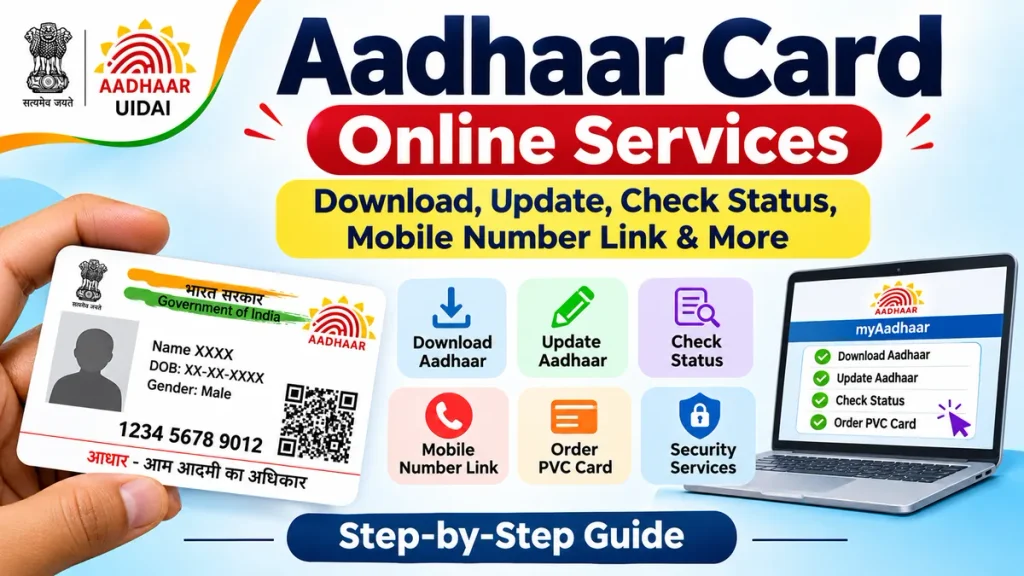
However, not every Aadhaar correction can be completed online. Some services require OTP verification, face authentication, supporting documents, or a visit to an authorised Aadhaar centre. This guide explains the available services, step-by-step procedures, required documents, charges, and important precautions.
What Are Aadhaar Card Online Services?
Aadhaar Card online services are digital facilities provided by UIDAI to help residents access and manage their Aadhaar information.
These services reduce unnecessary visits to enrolment centres and allow users to complete several identity-related tasks from home.
Popular services include:
- Downloading an electronic Aadhaar Card
- Updating Aadhaar address details
- Updating a registered mobile number through the Aadhaar app, subject to conditions
- Checking Aadhaar enrolment and update status
- Ordering an Aadhaar PVC Card
- Verifying Aadhaar details
- Locking or unlocking biometric authentication
- Checking Aadhaar authentication history
Service availability depends on the selected process and verification requirements.
Aadhaar Card Online Services Overview
| Aadhaar Service | Availability |
|---|---|
| Aadhaar Card Download | Online |
| Aadhaar Address Update | Online, subject to verification |
| Mobile Number Update | Aadhaar app or authorised centre |
| Aadhaar Status Check | Online |
| Aadhaar PVC Card Order | Online |
| Name Correction | Authorised centre |
| Date of Birth Correction | Authorised centre |
| Aadhaar Photo Update | Authorised centre |
| Aadhaar Biometric Lock | Online |
| Aadhaar Authentication History | Online |
How to Download Aadhaar Card Online – Step-by-Step Process
Downloading an Aadhaar Card is useful when you need a digital identity document immediately.
Step 1: Open the official UIDAI myAadhaar portal using your smartphone or computer.
Step 2: Select the Download Aadhaar service.
Step 3: Choose an identification option, such as Aadhaar Number, Enrolment ID, or Virtual ID.
Step 4: Enter the required identification details and security verification code.
Step 5: Request an OTP on your Aadhaar-registered mobile number.
Step 6: Enter the OTP and complete authentication.
Step 7: Download the password-protected e-Aadhaar PDF.
The electronic Aadhaar is digitally signed by UIDAI and is equally valid as the physical Aadhaar document.
How to Open Aadhaar PDF Password
The e-Aadhaar password generally contains the first four characters of your name in capital letters, followed by your birth year.
For example, if your name is RAHUL and your birth year is 1995, the password would be RAHU1995.
Aadhaar Card Address Update Online
If you have changed your residence, updating your Aadhaar address helps keep your identification information accurate.
Step-by-Step Address Update Process
- Open the official myAadhaar portal or Aadhaar app.
- Sign in using the required authentication method.
- Select the Address Update service.
- Enter your new residential address carefully.
- Upload a valid supporting document, where required.
- Review the entered information before submission.
- Complete authentication and pay the applicable fee.
- Save the acknowledgement and Service Request Number.
UIDAI also supports eligible Head of Family-based address updates. Approval and document requirements may vary depending on the selected method.
An application submission does not guarantee approval. UIDAI verifies the submitted information before processing the request.
Aadhaar Mobile Number Update – Can You Do It Online?
A registered mobile number is important for accessing OTP-based Aadhaar services, downloading documents, and completing digital verification.
The official Aadhaar app supports mobile number updates for eligible users who can complete the required verification.
Steps to Update Your Mobile Number
- Install and open the official Aadhaar app.
- Complete registration and sign in.
- Select the Mobile Number Update option.
- Enter the new mobile number.
- Complete the required OTP verification.
- Perform face authentication.
- Pay the prescribed service charge.
- Save the acknowledgement for future reference.
Important: If you have never registered a mobile number with Aadhaar or cannot access your previously registered number, you must visit an authorised Aadhaar centre.
How to Check Aadhaar Card Status Online
After submitting an Aadhaar enrolment or correction request, you can track its processing status.
Step-by-Step Status Checking Process
- Visit the official myAadhaar service portal.
- Choose the relevant Aadhaar status tracking service.
- Enter the requested enrolment or service reference details.
- Complete the security verification process.
- Submit the information to view the available status.
Your request may appear as submitted, under processing, completed, or rejected.
If rejected, review the reason provided and follow the applicable correction procedure.
Processing times depend on the service and verification requirements.
How to Order Aadhaar PVC Card
The Aadhaar PVC Card is a compact, durable physical version of Aadhaar that can be carried conveniently.
PVC Card Ordering Steps
- Open the official Aadhaar PVC Card ordering service.
- Enter your Aadhaar number or another accepted identifier.
- Complete the required verification.
- Review the displayed details.
- Pay the prescribed ordering fee.
- Save the acknowledgement number.
- Track the delivery status through the available service.
UIDAI currently lists a ₹75 charge for ordering an Aadhaar PVC Card. Always verify the displayed amount before payment.
Aadhaar Card Update Documents Required
Different corrections require different supporting documents.
| Update Type | Common Requirement |
|---|---|
| Name Correction | Accepted identity document |
| Address Update | Valid address proof |
| Date of Birth Correction | Accepted date-of-birth proof |
| Mobile Number Update | Required identity authentication |
| Biometric Update | Physical visit for biometric capture |
Documents must satisfy UIDAI’s current accepted-document rules. Ensure that uploaded information is readable and matches the requested correction.
Aadhaar Card Security and Privacy Tips
Protecting Aadhaar information is important because it is frequently used for identity verification.
Never share Aadhaar OTPs, app PINs, or sensitive authentication details with unknown individuals.
Use official services instead of suspicious applications or unofficial websites. Consider using Masked Aadhaar when appropriate, as it hides the first eight digits of your Aadhaar number.
UIDAI also provides biometric locking and authentication-history features. These can help you manage authentication security and review recorded activity.
Avoid uploading Aadhaar copies to untrusted websites or sharing them unnecessarily on social media.
Frequently Asked Questions (FAQs)
1. Can I download my Aadhaar Card for free?
Yes. UIDAI provides free e-Aadhaar downloads through its official digital services, subject to successful verification.
2. Can I update my Aadhaar mobile number from home?
Eligible users can update their number through the Aadhaar app. First-time registration or unavailable old-number access requires visiting an authorised centre.
3. Is an online Aadhaar PDF valid?
Yes. UIDAI’s digitally signed e-Aadhaar is equally valid as the physical Aadhaar Card.
4. Can I change my Aadhaar photograph online?
No. Photograph updates require visiting an authorised Aadhaar enrolment or update centre.
5. How can I check my Aadhaar update status?
Use the official tracking service with the required enrolment or service request reference details.
6. Is Aadhaar address correction free?
Not necessarily. UIDAI currently lists a ₹75 address update charge. Always check the applicable fee before submission.
7. What should I do if my Aadhaar OTP is not received?
Check your network connection, confirm access to your registered mobile number, and retry. Contact UIDAI support if the problem continues.
Conclusion
Aadhaar Card online services make identity management easier by providing convenient options for downloading documents, updating information, tracking requests, and improving security.
Before submitting any request, verify the service requirements, keep supporting documents ready, and use only authorised UIDAI platforms. Understanding which services are available online and which require a centre visit can save time and prevent unnecessary difficulties.