Aadhaar Card Download – How to Download Your Aadhaar Card Online Using Mobile
Aadhaar Card is one of the most widely used identity documents in India. Issued by the Unique Identification Authority of India (UIDAI), it contains a unique 12-digit identification number that helps residents verify their identity for various services. Whether you need Aadhaar for banking, government schemes, education, or documentation, keeping a digital copy can be extremely useful.
The Aadhaar Card Download facility allows residents to obtain an electronic copy of their Aadhaar using a smartphone, laptop, or computer. This digital document, commonly known as e-Aadhaar, is password-protected and digitally signed by UIDAI. It carries the same validity as the physical Aadhaar document.
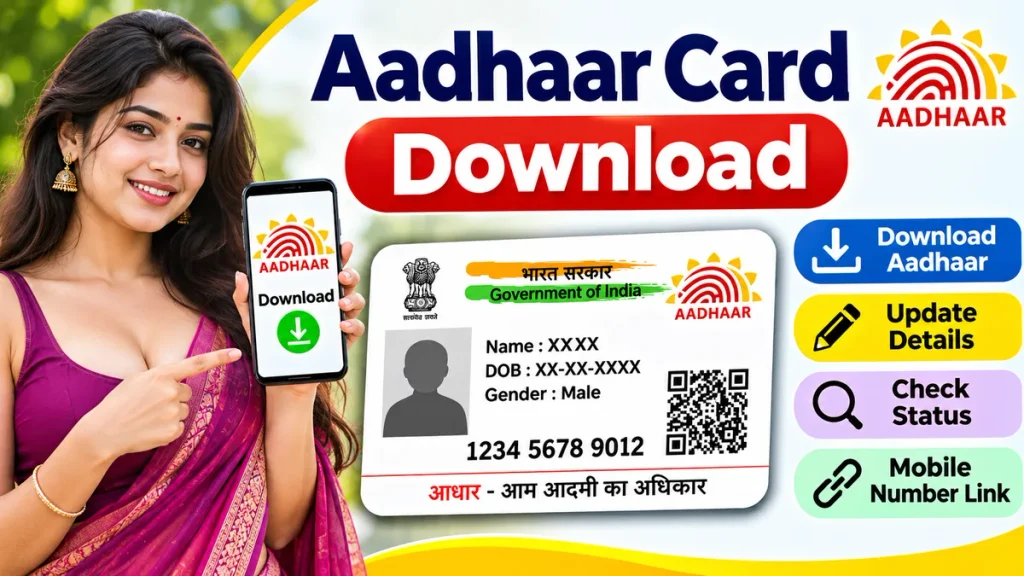
If you have lost your Aadhaar Card, need another copy, or want to save it on your mobile, you can use the official online download service. This complete guide explains how to download Aadhaar, open its PDF password, use different identification numbers, and solve common downloading problems.
What Is Aadhaar Card Download?
Aadhaar Card Download is an online service that allows Aadhaar number holders to access their digital identity document.
The downloaded document is called e-Aadhaar. It contains important information such as the holder’s name, photograph, date or year of birth, gender, Aadhaar number, and address.
The electronic document also includes a secure QR code that can be used for verification.
Unlike a physical Aadhaar Card, e-Aadhaar can be stored on a smartphone or computer and downloaded again whenever necessary, subject to applicable service conditions.
Aadhaar Card Download – Important Details
| Particulars | Details |
|---|---|
| Document Name | Aadhaar Card |
| Issuing Authority | UIDAI |
| Digital Document | e-Aadhaar |
| Download Method | Online |
| Available Devices | Mobile, Laptop, Computer |
| Identification Options | Aadhaar Number, EID, VID, SID |
| Verification | Registered Mobile OTP |
| Download Format | |
| Download Fee | Free |
| PDF Security | Password Protected |
| Document Validity | Equal to Physical Aadhaar |
How to Download Aadhaar Card Online – Step-by-Step Process
Downloading your Aadhaar Card online is straightforward when your registered mobile number is active.
Step 1: Visit the Official Aadhaar Portal
Open a browser on your mobile phone or computer and visit UIDAI’s official myAadhaar portal.
Find the Download Aadhaar service on the homepage.
Step 2: Select Aadhaar Download
Choose the Download Aadhaar option to open the verification page.
The system provides different identification methods for accessing your document.
Step 3: Enter Your Aadhaar Number
Enter your 12-digit Aadhaar number carefully.
You may also use another supported identifier if you do not have your Aadhaar number available.
Step 4: Complete Security Verification
Enter the captcha or security code displayed on the screen.
Check your identification details before continuing.
Step 5: Request Aadhaar OTP
Select the option to receive an OTP.
The verification code will be sent to your Aadhaar-registered mobile number.
Step 6: Verify Your Identity
Enter the received OTP in the appropriate field.
Complete the verification process to continue.
Step 7: Download Aadhaar PDF
After successful verification, select the download option.
Your e-Aadhaar PDF will be saved to your device.
You can open, store, or print the document whenever required.
Aadhaar Card Download Using Mobile Number
Many users search for Aadhaar Card Download by Mobile Number because they want to access their documents quickly.
However, a mobile number alone is not normally sufficient to download Aadhaar.
You must provide a supported identification number and complete the required authentication.
The registered mobile number is primarily used to receive the verification OTP.
If your mobile number is no longer active, you may need to complete the applicable mobile number update process before using OTP-based services.
Aadhaar Card Download Without Aadhaar Number
Losing your Aadhaar Card does not necessarily mean losing access to your identity information.
UIDAI provides a facility to retrieve a forgotten Aadhaar number or enrolment identification number.
Steps to Retrieve Aadhaar Number
- Open the official myAadhaar portal.
- Find the Retrieve Lost or Forgotten UID/EID service.
- Enter your registered name and requested details.
- Provide your registered mobile number or supported contact information.
- Complete the required security verification.
- Verify the OTP received on your registered contact.
- Follow the instructions to retrieve your identification number.
After recovering the required number, return to the Aadhaar Download service.
Complete the standard verification process to obtain your e-Aadhaar.
Aadhaar Card Download Using Enrolment Number
Residents who recently applied for Aadhaar may have an Enrolment ID instead of an Aadhaar number.
The Enrolment ID is provided during the Aadhaar registration process.
Once Aadhaar generation is completed, you can use the supported enrolment details to access the document.
Download Process
- Visit the official Aadhaar Download page.
- Select the Enrolment ID option.
- Enter the requested enrolment information.
- Complete the security verification.
- Request an OTP.
- Enter the OTP received on your registered mobile.
- Download the available Aadhaar PDF.
If your Aadhaar application is still being processed, check the enrolment status before attempting another download.
How to Open Aadhaar Card PDF Password
After downloading e-Aadhaar, you may notice that the PDF requires a password.
UIDAI uses password protection to provide an additional layer of document security.
The standard password contains the first four characters of your name in uppercase letters followed by your birth year.
Aadhaar PDF Password Examples
| Name | Birth Year | PDF Password |
|---|---|---|
| RAHUL SHARMA | 1995 | RAHU1995 |
| PRIYA DAS | 1998 | PRIY1998 |
| AMIT KUMAR | 1992 | AMIT1992 |
| SUNITA DEVI | 1987 | SUNI1987 |
Enter the password exactly according to your Aadhaar name and recorded birth year.
If your name has fewer than four letters, follow UIDAI’s applicable password format.
What Is Masked Aadhaar Download?
Masked Aadhaar is a privacy-focused version of e-Aadhaar.
Instead of displaying your complete Aadhaar number, it hides the first eight digits and shows only the final four digits.
For example, the Aadhaar number appears in a masked format such as XXXX XXXX 1234.
This can be helpful when you want to share identification information while reducing unnecessary exposure of your complete Aadhaar number.
How to Download Masked Aadhaar
- Open the official Aadhaar Download service.
- Enter your Aadhaar details.
- Select the Masked Aadhaar option.
- Complete OTP verification.
- Download the masked PDF.
Remember that some verification procedures may require additional information or a different accepted document format.
Aadhaar Card Download Without Registered Mobile Number
Downloading e-Aadhaar through the standard online portal requires authentication using the registered mobile number.
If your mobile number is not registered or is inaccessible, you cannot simply bypass the verification requirement.
You may visit an authorised Aadhaar enrolment or update centre for assistance.
Depending on the service, the centre may provide Aadhaar printing after identity verification and payment of the applicable fee.
UIDAI also provides an Aadhaar PVC Card ordering service that can be used separately from the standard e-Aadhaar download process.
Common Aadhaar Download Problems and Solutions
Users sometimes experience technical difficulties while accessing their Aadhaar documents.
| Problem | Suggested Solution |
|---|---|
| OTP Not Received | Check network and registered number |
| Incorrect OTP | Request another valid OTP |
| Aadhaar Number Invalid | Recheck entered digits |
| PDF Not Opening | Verify password format |
| Captcha Error | Enter a fresh security code |
| Aadhaar Under Processing | Check enrolment status |
| Download Page Not Loading | Retry using a stable connection |
Avoid repeatedly submitting incorrect information. If problems continue, contact UIDAI through its official support channels.
Benefits of Downloading Aadhaar Card Online
The online Aadhaar Download service offers several practical advantages.
First, it provides convenient digital access without requiring residents to collect another physical document.
Second, downloading e-Aadhaar through UIDAI is free.
Third, the digitally signed document has the same validity as its physical counterpart.
Fourth, users can keep a protected electronic copy for situations where Aadhaar identification is required.
Finally, features such as Masked Aadhaar and secure QR verification provide useful options for privacy-conscious document handling.
Important Aadhaar Card Security Tips
Always use official UIDAI services when downloading Aadhaar.
Never share your Aadhaar OTP, PDF password, or sensitive personal information with unknown people.
Avoid suspicious websites promising Aadhaar downloads without verification.
Do not upload your Aadhaar document to untrusted platforms.
When sharing Aadhaar for an authorised purpose, consider whether Masked Aadhaar is accepted.
Keep downloaded documents in secure storage, especially when using shared smartphones or computers.
Frequently Asked Questions (FAQs)
1. Can I download Aadhaar Card online for free?
Yes. UIDAI provides the e-Aadhaar downloading facility free of charge through its official service.
2. Is downloaded Aadhaar valid everywhere?
e-Aadhaar is equally valid as the physical Aadhaar document. Individual organisations may still have specific verification procedures.
3. Can I download Aadhaar without OTP?
The standard online download process requires authentication. You cannot bypass UIDAI’s verification requirements.
4. Can I download Aadhaar using my mobile phone?
Yes. You can download e-Aadhaar using a compatible mobile browser or the official Aadhaar app.
5. What is the Aadhaar PDF password?
It generally consists of the first four characters of your Aadhaar name in uppercase letters and your four-digit birth year.
6. Can I download Aadhaar without knowing my Aadhaar number?
Yes, if you have another supported identifier. You may also retrieve a forgotten Aadhaar number through the applicable UIDAI service.
7. What should I do if my Aadhaar download fails?
Check your identification details, OTP, internet connection, and PDF password. Contact UIDAI support if the issue remains unresolved.
Conclusion
The Aadhaar Card Download service provides a convenient way to obtain a secure digital copy of your identity document. With an Aadhaar number or another supported identifier and successful authentication, residents can download e-Aadhaar using a smartphone or computer.
Understanding the correct download process, PDF password format, Masked Aadhaar feature, and OTP requirements can help you avoid common problems.
Always download Aadhaar through authorised UIDAI services, protect your personal information, and verify the document before using it for important identity-related purposes.